For restaurant brands, managing advertising means keeping both the details and the bigger picture in view. You might start the day by checking a campaign’s spend, then look across locations to understand sales trends or prepare a performance update for your team. Each task raises a different question about how your marketing is working.
DoorDash Ads Manager brings campaign management and performance insights together in one place. Today, we’re introducing a refreshed experience that makes those everyday tasks easier to navigate and gives you more ways to understand your results.
The refreshed design and new reporting views help you explore the relationship between campaign activity and business performance. Together, these updates support the way your team moves from managing campaigns to understanding what comes next.
A refreshed experience for your everyday work
The entire Ads Manager experience has a fresh new look, with a clean, intuitive design built for the way your team works. Business Insights brings the Performance and Customer Insights tabs together, making it easier to move between your results and the customers behind them. Campaign creation has a refreshed design, too, while expanded self-serve promotion controls give you more flexibility to tailor offers to your goals. Together, these updates make it easier to manage campaigns and explore performance in one place.
Connect campaign results to the bigger picture
Understanding your advertising means looking at both campaign results and the customer relationships that develop over time. With expanded reporting in Ads Manager, you can explore campaign activity alongside overall business trends and see what happens after a customer’s first order attributed to an ad or promotion.
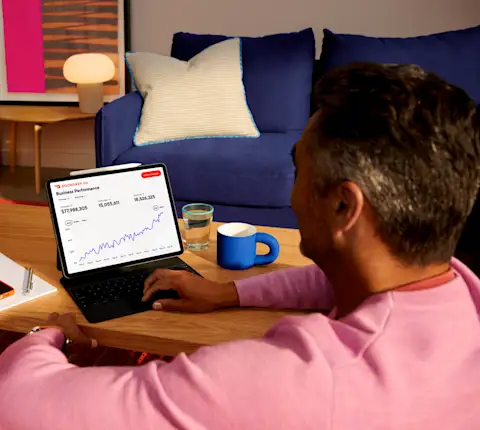
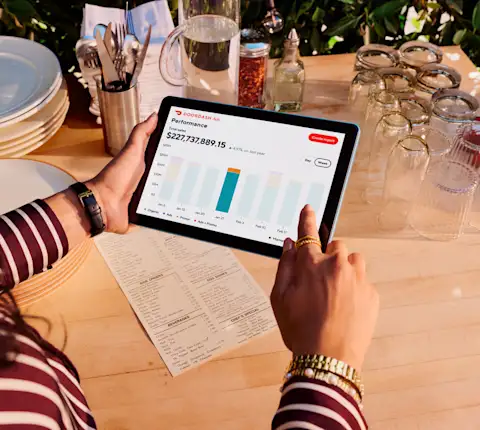
The updated performance chart lets you view multiple metrics side by side, including business sales, campaign sales, and campaign spend. You can look across campaigns or open an individual campaign to explore its results alongside business performance for the stores it includes.
For example, when reviewing a month of campaign activity, you can compare campaign spend and sales with overall business sales over the same period. Seeing those trends together can help you identify patterns and decide where to look more closely.
The picture also extends beyond the initial order. New and updated customer reporting helps you explore whether customers return and the value they bring over time:
Reorder rates show the percentage of new and lapsed customers who order again within 30, 60, or 90 days of their first order attributed to an ad or promotion.
Customer long-term value shows the average sales those customers generate over the same periods.
Customer long-term cost shows the average advertising and promotion costs behind those customers’ orders, so you can compare value and cost over time.
Together, these views help your team have a more informed conversation about campaign performance, including the customer activity that continues after the first order.
Explore the new Ads Manager
The refreshed DoorDash Ads Manager experience is now live. Log in to explore the updated design, manage your campaigns, and take a closer look at how your advertising connects to business and customer trends.
For step-by-step guidance, visit our Help Center to better understand campaign performance and long-term customer value.