


The leading platform in food
DoorDash Ads helps your restaurant grow and thrive on a platform that reaches over 50 million monthly active users.





Ad Solutions
Connect with consumers when it matters and steadily increase orders with strategic ad placements.

Sponsored Listings
Get your restaurant featured in high-traffic areas to increase visibility and sales. The best part? Unlike other platforms, you only pay for confirmed orders, not clicks.
Restaurants Success Stories

Culver’s Sees 8x ROAS with DoorDash Sponsored Listings
Discover how Culver’s used DoorDash Sponsored Listings to drive 8x ROAS, boost repeat guests by 70%, and make 1 in 3 delivery orders come from ads—all while preserving their signature hospitality.
Learn more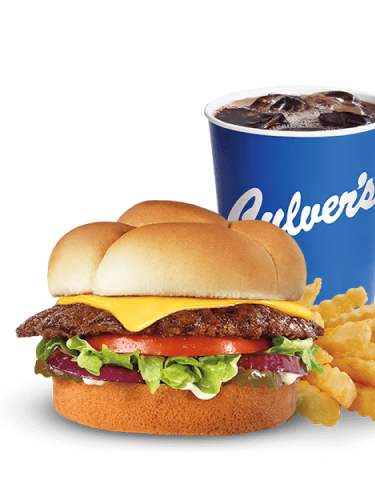
1 in 3 Orders From Sponsored Listings
Culver’s saw 1 in 3 orders coming from Sponsored Listings, bringing repeat guests up 70%, and delivering an 8x return on ad spend while helping franchisees maintain quality and operational excellence.
Learn more


Collaboration Tools for Franchise Brands
Industry-leading tools built for the franchisor and franchisee ecosystem—designed to help enterprise restaurants run local and national campaigns with more precision than ever.
Our collaboration tools for franchise brands are built to reflect how these systems actually operate, with corporate and and local ownership working towards shared growth.
Learn more about how brands can run coordinated advertising campaigns on DoorDash with franchise opt-in campaigns.

Resources
View All

Frequently Asked Questions
Restaurants with over 125 active locations are automatically granted access to DoorDash Ads through Ads Manager, our state-of-the-art platform for launching, managing, and optimizing campaigns. Users with the Business Admin or Marketer roles in the Merchant Portal can log into Ads Manager using their existing Merchant Portal credentials. Once logged in, they can start creating and managing campaigns directly within Ads Manager.
Have fewer than 125 locations? Use the Marketing tab in the Merchant Portal to create customized campaigns for any of your locations.
Instead of DoorDash Ads Manager, use the Marketing tab in the Merchant Portal to create your ads and promotions campaigns. Learn more about how to attract customers on DoorDash in our Merchant Learning Center.
We understand that different business stakeholders need access to different accounts, so DoorDash Ads Manager is the first on-demand restaurant marketing platform to differentiate between corporate and franchise access. You can enable access to tools at the user level to protect brand security.
Ads Manager is available to Business Admin and Marketers.
If you have Store Operator or Store Manager access, please use the Merchant Portal.
Ads Manager is designed to align with how enterprise businesses operate, by offering streamlined access, nuanced reporting, and improved auction functionality that prevents internal competition between different locations within your enterprise business.
Compared to the Merchant Portal, Ads Manager provides more advanced features, including dayparting, campaign hierarchies through ad groups, and the ability to set weekly or lifetime budgets.
Enterprise restaurants can advertise on DoorDash using three core solutions: Sponsored Listings, Banners, and Promotions. These tools help drive visibility and sales directly within the DoorDash app. To learn more about each offering, visit our products page.
Campaign reports are available within the Ads Manager platform, with key metrics updated hourly. Click the Reports icon in the upper left-hand corner.